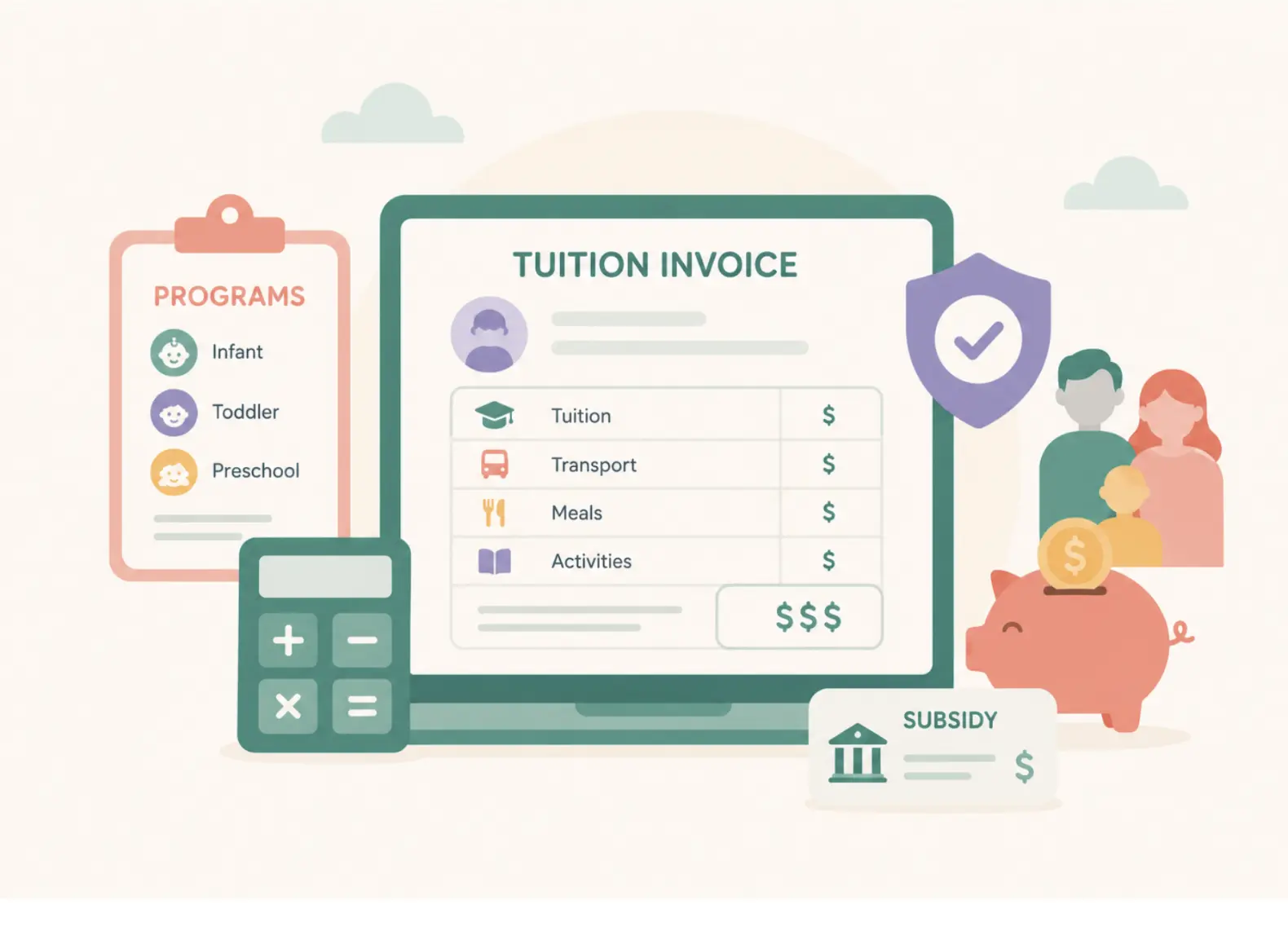


The best AI tools for childcare centers are the ones built into the systems you already run on: an AI enrollment agent that answers inquiry calls, enrollment forecasting inside your management software, and AI-assisted daily reports for teachers. A general assistant such as ChatGPT or Claude covers admin writing, as long as no child data goes into it. Pick tools by the job that costs your center the most time or revenue today, not by the longest feature list.
Most "best AI for childcare" lists are written by a software vendor, rank its own product first, and mix developer platforms in with tools a director can switch on tomorrow. This guide ranks ten tools on public criteria, tags each one with the job it does best, and shows where artificial intelligence (AI) still needs a human signing off.
Best for
Childcare center owners, directors, and multi-site operators choosing AI tools
Covers
10 AI tools ranked, a tool-by-job table, built-in vs standalone AI, an evaluation checklist, and child data safety
Based on
Vendor product pages and press releases, RAND Corporation research, and illumine's 2026 Childcare Enrollment Benchmark Report
Updated
November 2026
Key takeaways
- The most useful AI tools for childcare centers are built into childcare management software, so they work from your live enrollment, attendance, and classroom data.
- Enrollment calls and inquiry follow-up are where AI pays back fastest, followed by daily reports for teachers.
- General assistants like ChatGPT and Claude are good for admin writing, as long as no child data goes into them.
- Procare acquired Playground on September 14, 2026, so RoomRunner and Camber now come from one company.
- Ask every vendor whether AI is included in your plan, whether your data trains its models, and whether each feature is available now or only announced.
What Is an AI Tool for a Childcare Center?
An AI tool for a childcare center is software that uses machine learning or generative AI to handle a repetitive operational task, such as answering inquiry calls, drafting parent updates, forecasting room openings, or translating messages. The most useful ones are built into childcare management software, so they work from your center's real enrollment, attendance, and classroom data instead of a blank chat window.
There are two broad types, and most centers end up using both:
Built-in AI
Features inside your childcare management platform (enrollment agents, forecasting, daily report writing, translation). They see your data and write back to your records.
Standalone AI
General tools like ChatGPT, Claude, or Canva that sit outside your system. They are flexible and cheap, but they know nothing about your center unless you paste it in, which creates a privacy problem with child data.
Adoption is still early. A RAND Corporation survey published in December 2025 found that 29% of U.S. public school pre-K teachers used generative AI for a job-related purpose in the 2024 to 2025 school year, and only 9% used it weekly or more. That survey covers public pre-K, not private centers, but it matches what operators describe: interest is high, consistent use is low.
The Short List: Best AI Tools for Childcare Centers at a Glance
| Rank | Tool | Type | Best for | Access / pricing (per public sources) |
| 1 | illumine | Childcare management platform with built-in AI | Multi-site operators automating enrollment calls, lead follow-up, daily reports, and forms | Quote-based |
| 2 | Procare RoomRunner | Built into Procare Online | Enrollment and capacity forecasting up to 12 months ahead | No additional cost for Procare Online customers, per Procare's May 2026 launch release |
| 3 | Playground Camber | Built into Playground (now owned by Procare) | Answering inquiry calls, capturing and qualifying leads | Demo required; Playground's AI page lists no pricing |
| 4 | Brightwheel AI | Built into Brightwheel | Asking questions about your own program data | Rolling out to Brightwheel Premium schools in fall 2026, per Brightwheel |
| 5 | Dooza Crew | Standalone AI receptionist | Answering inquiry calls, including after hours, and drafting follow-ups for staff approval | Free to start, per Dooza's website |
| 6 | Kangarootime (Clay) | Built into Kangarootime | Lesson planning, teacher coaching, developmental surveys | Quote-based |
| 7 | Famly Sidekick | Built into Famly | Polishing tone, spelling, and grammar in parent messages | Listed in Famly's Professional plan on its UK pricing page |
| 8 | ChatGPT Business / Claude Team | Standalone assistant | Policies, newsletters, job ads, handbook drafts | ChatGPT Business is $20 per user per month billed annually, per OpenAI; Claude Team is similarly priced per seat |
| 9 | Synthflow | Standalone voice agent builder | Centers with technical help that want a custom phone agent | See Synthflow's pricing page |
| 10 | ArcadianAI | AI layer for existing security cameras | Flagging policy events and finding footage quickly | See ArcadianAI's website |
Note that Procare acquired Playground on September 14, 2026, so RoomRunner and Camber now sit under one company. Procare has said that nothing changes immediately for customers of either product, but if you are comparing the two as independent options, that is no longer the right frame.
Which tool for which job
| Job | Tools on this list |
| Inquiry calls and lead follow-up | illumine, Playground Camber, Dooza Crew, Synthflow |
| Enrollment forecasting | illumine, Procare RoomRunner |
| Daily reports and parent messages | illumine, Famly Sidekick |
| Questions about your own data | Brightwheel AI |
| Lesson planning and coaching | illumine, Kangarootime (Clay) |
| Admin writing and marketing | ChatGPT Business, Claude Team |
| Camera monitoring | ArcadianAI |
Built-In vs. Standalone: Which Kind of AI Does Your Center Need?
Standalone tools are where most directors start, because they are free or close to it. The limitation shows up fast. ChatGPT can draft a beautiful tour follow-up email, but it cannot see that the family asked about the infant room, that the infant room is full until March, or that the lead has gone quiet for nine days.
Built-in AI works from your live records. That is the difference between a tool that helps you write and a tool that helps you run the center.
| Question | Built-in AI | Standalone AI |
| Does it know your rooms, ratios, and waitlist? | Yes | Only what you paste in |
| Can it update records (leads, tours, reports)? | Yes, with approval | No |
| Is child data kept inside one system? | Yes | Risky; child data should never go into consumer chatbots |
| Setup effort | Low if you already use the platform | Low for writing, high for custom voice agents |
| Best use | Enrollment, reporting, parent communication | Policies, marketing copy, brainstorming |
The Best AI Tools for Childcare Centers, Ranked
Enrollment is where AI pays back fastest, because every unanswered call is a family that may already be touring somewhere else. illumine's 2026 Childcare Enrollment Benchmark Report includes a case from Ruth Ann Rose of Rose Marketing Solutions: a client worried about conversion turned out to have more than 200 leads that had never received any response, traced back to thin staffing coverage at lunch, which was exactly when call volume peaked.
The same report cites industry sales research showing that 80% of sales take five or more structured follow-up attempts, while most teams stop after one or two. That is why tools covering inquiry calls and follow-up sit near the top of this list.
"The best use of your center staff is not answering a phone call at 7:30 in the evening." Jessica Van Hoose, CEO of The Nest Schools, in illumine's 2026 Childcare Enrollment Benchmark Report
1. illumine
Best for
Multi-site operators that want enrollment, daily reports, and forms automated in one system
Type
Childcare management platform with built-in AI
Access
Quote-based
illumine is an AI-native childcare management platform used by more than 4,000 childcare centers across 60+ countries. Its AI works across the center lifecycle rather than one task:
- AI Enrollment Agent: answers parent calls 24/7, collects the child's age, location, start date, and schedule needs, sorts each inquiry as Hot, Warm, or Future Interest, books tours, and logs transcripts to the family's record in the customer relationship management (CRM) system
- Intent-based lead scoring that surfaces the families most likely to enroll
- AI Daily Reports: turns teacher voice notes, photos, and quick observations into parent-ready updates, with translation into 20+ languages
- AI Form Builder: converts PDF enrollment packets into digital forms, or creates new forms from a prompt
- AI-assisted lesson planning and observations, with centers bringing their own curriculum
- A multi-center dashboard with enrollment trend predictions across every site
2. Procare RoomRunner
Best for
Procare Online customers planning enrollment and room transitions
Type
Built into Procare Online
Access
No additional cost for Procare Online customers
RoomRunner launched in May 2026. It analyzes enrollment data, classroom capacity, age progression, room transition timing, and waitlist demand, and gives directors a view up to 12 months ahead. Procare's published case study describes one two-location director cutting roughly 20 hours of manual planning down to minutes.
3. Playground Camber
Best for
Playground customers who want AI answering inquiry calls
Type
Built into Playground, now owned by Procare
Access
Demo required
Per Playground's AI page, Camber answers inquiry calls, answers questions about curriculum, pricing, and voucher versus private pay, captures and qualifies leads, and schedules callbacks. Tour booking is listed on that page as coming soon.
4. Brightwheel AI
Best for
Brightwheel Premium programs that want quick answers from their own data
Type
Built into Brightwheel
Access
Rolling out to Premium schools in fall 2026
Per Brightwheel's own description, it answers questions about billing, enrollment, attendance, ratios, rosters, and staff using the program's own data, limited to the user's existing permissions. It does not send messages or change records. Brightwheel says roughly 2,000 schools used it in its 2026 pilot.
5. Dooza Crew
Best for
Centers that want after-hours call answering without changing their childcare software
Type
Standalone AI receptionist
Access
Free to start
Dooza Crew is an AI receptionist that answers phone calls, including after-hours calls, with call handling included in its Crew plan. It also drafts email and chat follow-ups, and staff approve, edit, or reject each one before anything is sent.
It is a general business tool rather than a childcare platform, so it will not see your rooms, waitlist, or enrollment records unless you set that up.
6. Kangarootime (Clay)
Best for
Kangarootime customers who want AI lesson planning and teacher coaching
Type
Built into Kangarootime
Access
Quote-based
Kangarootime acquired the AI platform Clay in April 2024, adding behavioral and developmental surveys, an on-demand coaching feature for educators, and an AI-assisted weekly curriculum planner. For a classroom-level breakdown of teacher tools, see our guide to the best AI tools for preschool educators.
7. Famly Sidekick
Best for
Famly customers who want cleaner, translated parent messages
Type
Built into Famly
Access
Professional plan on Famly's UK pricing page
Sidekick is a writing assistant that fixes spelling and grammar and adjusts tone across four styles in messages and newsfeed posts, alongside live translation. Per Famly, staff can accept or reject each suggested change.
8. ChatGPT Business and Claude Team
Best for
Admin writing that never touches a child's record
Type
Standalone AI assistants
Access
ChatGPT Business from $20 per user per month, billed annually
General assistants are genuinely useful for:
- Parent handbook and policy first drafts
- Monthly newsletters and event announcements
- Job descriptions and interview question banks
- Social media captions and open house flyers (Canva has a free tier for the design side)
According to OpenAI, ChatGPT Business is $20 per user per month billed annually or $25 billed monthly, and business plans from both OpenAI and Anthropic do not use your data for model training by default. Consumer free tiers do not carry the same guarantee.
9. Synthflow
Best for
Centers with technical help that want a custom phone agent
Type
No-code voice agent builder
Access
See Synthflow's pricing page
Synthflow lets centers configure their own voice agent for inquiries, tours, and waitlists. It is not childcare-specific, so someone on your team has to build the call logic and connect it to your systems.
10. ArcadianAI
Best for
Centers that want AI review of existing camera footage
Type
AI layer for security cameras
Access
See ArcadianAI's website
ArcadianAI adds a policy-driven AI layer to existing security cameras, flags events such as after-hours activity, and helps staff find footage quickly. This category raises the most privacy questions on this list, so get your licensing body's guidance and your families' informed consent before turning it on.
Where AI Pays Back Fastest
Not every job is equally ready for AI. This is how the main jobs compare on frequency, risk, and how mature the tooling is today.
| Job | How often it happens | Cost of doing it badly | AI maturity today | Human sign-off needed |
| Answering inquiry calls | Daily, often after hours | Lost enrollments | High | Review transcripts and escalations |
| Lead follow-up | Daily | Lost enrollments | High | Approve sequences once |
| Daily reports | Daily, every classroom | Parent trust, teacher burnout | High | Teacher reviews every report |
| Translation | Daily in diverse centers | Excluded families | High | Spot-check important notices |
| Enrollment forecasting | Monthly | Empty seats, overstaffing | Medium to high | Director approves room moves |
| Admin writing | Weekly | Time | High | Always, for policies |
| Staff scheduling | Weekly | Ratio breaches | Medium | Director approves every roster |
| Lesson planning | Weekly | Teacher time | Medium | Teacher adapts to the children |
The pattern: start with enrollment and daily reports, where the volume is high and the output is easy to check. Leave anything that touches ratios, safety, or licensing for later, and keep a human approving it.
How to Evaluate AI Tools for Your Childcare Center
Use this checklist before you sign anything:
- Name the job first. Write down the one task costing you the most hours or revenue. If a tool does not move that number, it is a distraction.
- Check what data it uses. Built-in tools should work from your live records. Ask whether the AI is trained on your center's data and whether that data is shared with anyone.
- Confirm it asks before acting. Anything that sends a message, books a tour, or changes a record should be reviewable, with clear logs.
- Ask where the AI sits in pricing. Some vendors include AI in an existing tier; others charge for an add-on. Ask what your current plan covers.
- Separate "available" from "coming soon." Several 2026 AI features across the market were announced before they shipped. Ask to see the feature working in a demo on your own scenarios.
- Count the logins. Every standalone tool adds a bill, a password, and a data silo. Three point solutions that do not talk to each other can cost more time than they save.
Five questions to ask every vendor about data:
- Where is our data stored, and who can access it?
- Is our data used to train AI models?
- Can we delete our data on request?
- How is personally identifiable information (PII) about children handled or redacted?
- Do you hold an independent security certification, such as System and Organization Controls 2 (SOC 2)?
What AI Should Never Do in a Childcare Center
AI assists the adults in your building. It does not replace their judgment. Keep these lines firm:
- Never paste child data into consumer chatbots. Names, photos, medical details, incident notes, and family contacts stay inside your childcare system. Use placeholders like "[child]" when drafting in general tools.
- Never let AI make safety or ratio decisions. It can flag a ratio risk; a person decides what happens next.
- Never publish an unreviewed licensing document. AI does not know your state's current rules. Your licensing consultant or regulator does.
- Never let AI invent observations. A daily report or assessment built on details that did not happen damages trust faster than a late report.
It also helps to write a short AI-use policy into your staff handbook and tell families plainly how AI is used in your center.
Multi-Site Operators: Why Connected AI Beats a Stack of Tools
At one center, a director can patch together ChatGPT, a voice agent, and a spreadsheet forecast. Across ten or forty centers, that patchwork breaks. Each site configures tools differently, data sits in disconnected systems, and leadership cannot see which centers are losing inquiries until occupancy drops.
Gaurav Ranjan of Prime Venture Partners puts numbers on the stakes in illumine's enrollment benchmark report: a new center typically burns cash for 12 to 24 months, and responding to inquiries in under 24 hours with structured post-tour follow-up within 72 hours can pull break-even forward by four to six months. That only works if every site runs the same process.
For a network, the evaluation questions shift:
- Can the AI run the same enrollment playbook at every site?
- Does leadership see response times and conversion by center, in one dashboard?
- Do forms, records, and billing flow end to end, with no re-entry between tools?
For more on running consistent operations across locations, see our guide to multi-center childcare operations.
How illumine Approaches AI
illumine was built as a single connected system, so its AI works across the full center lifecycle instead of one isolated task. In practice that means:
Enrollment
The AI Enrollment Agent answers every inquiry call, qualifies the family, books the tour, and logs everything to the CRM, while intent-based lead scoring surfaces the families most likely to enroll.
Registration
The AI Form Builder turns existing PDF packets into digital forms or creates new ones from a simple prompt, and the data flows straight into the child's record.
The classroom
AI Daily Reports turn voice notes and photos into parent-ready updates, with translation into 20+ languages.
Leadership
A multi-center dashboard and enrollment trend predictions give owners one view of every site.
illumine is SOC 2 Type 2 compliant, includes PII redaction and retention controls in its AI Enrollment Agent, and is used by more than 4,000 childcare centers across 60+ countries.
Why Trust This Article
This guide compares AI tools for childcare centers using publicly available information only. illumine has not used Brightwheel, Procare, Playground, Famly, Kangarootime, or the other competitor tools mentioned here hands-on, and nothing in this article describes first-hand testing of them.
What we reviewed:
- Each vendor's own product pages, AI feature pages, pricing pages, and press releases
- Published case studies and launch announcements, dated where possible
- Independent research, including the RAND Corporation's December 2025 survey of pre-K teachers
- illumine's own 2026 Childcare Enrollment Benchmark Report, including interviews with operators and investors
How tools were included and ranked: a tool made this list if it offers a documented, publicly described AI capability that a childcare director can use today, or that the vendor has dated for release. Tools are ranked on three public criteria, in this order: how much of the highest-payback work (inquiry calls, lead follow-up, and daily reporting) the tool covers, whether it works from a center's own records, and whether its AI is available now rather than announced. illumine publishes this article and ranks first on these criteria, so weigh that as you read. Where a feature was announced but not yet confirmed as available, we say so.
My name is Purva Goyal, Co-Founder and Chief Product Officer (CPO) at illumine. I lead the product behind illumine's AI-native childcare management platform, and I have spent more than 12 years in product leadership, including roles at Paytm Ads and MiQ. My team builds AI features for center teams every day, so we pay close attention to where AI genuinely saves directors and teachers time, and where a person still needs to make the call.
Frequently Asked Questions
What is the best AI tool for a childcare center?
The best AI tool for a childcare center is the one that fixes the job costing you the most time or revenue. For most centers that is inquiry calls and enrollment follow-up, which an AI enrollment agent built into your childcare management software can handle around the clock. For daily reports and parent updates, AI built into your classroom app is the better fit.
Can childcare centers use ChatGPT?
Yes, childcare centers can use ChatGPT for admin writing such as policies, newsletters, job ads, and handbook drafts. Staff should never enter child names, photos, medical details, or incident notes into it. If several staff members use it, a business plan such as ChatGPT Business keeps your data out of model training by default.
Is AI safe to use with children's data?
AI is safe with children's data only when it runs inside a secure childcare system with clear data controls. Ask every vendor where data is stored, whether it trains AI models, whether it can be deleted on request, and how personally identifiable information is redacted. Look for independent security certification such as SOC 2.
How much do AI tools for childcare cost?
Costs vary widely. Some childcare platforms include AI at no extra cost, such as Procare's RoomRunner for Procare Online customers, while others limit AI to higher tiers or charge for an add-on. General assistants like ChatGPT Business start at around $20 per user per month on annual billing.
Will AI replace childcare staff?
No. AI handles repetitive administrative work such as answering inquiry calls, drafting reports, and forecasting enrollment, but it cannot supervise children, build relationships with families, or make safety decisions. Its value is giving directors and teachers back time for the parts of the job only people can do.
What should a childcare center automate with AI first?
Start with enrollment inquiry response and follow-up. It happens every day, it is easy to measure in tours booked and families enrolled, and slow response is one of the most common reasons centers lose families to competitors. Daily reports are a strong second choice because they save teachers time every day.
How do I choose between built-in AI and standalone AI tools?
Choose built-in AI for anything that touches your center's records, such as enrollment, daily reports, attendance, and forecasting, because it works from live data and keeps child information in one secure system. Use standalone tools like ChatGPT, Claude, or Canva for writing and design tasks that involve no child data.