


Walk into ten schools that call themselves Montessori, and you'll find ten different interpretations of what that means in practice.
Some follow the AMI (Association Montessori Internationale) framework with strict fidelity - the three-year mixed-age cycles, the uninterrupted work period, the full scope and sequence from Practical Life through Cosmic Education. Others draw from AMS (American Montessori Society) guidelines, which allow more flexibility in classroom structure.
This spectrum matters when you're evaluating software. A program using AMI Toddler through Elementary needs a platform that can absorb that specific scope and sequence and track each child's progress through it. A Montessori-inspired school that has built its own developmental framework needs a platform flexible enough to accommodate a custom curriculum without forcing it into a foreign structure. And a school somewhere in between needs a platform that can handle both simultaneously and report on them coherently.
The question isn't just which software "supports Montessori." The question is: can this platform absorb the specific way your program does Montessori, generate lesson plans from it, link daily observations back to it, track each child's progress through its areas, and produce reports that mean something to parents and to you?
That's the standard this comparison applies:
Why Curriculum Fidelity Matters More in Montessori Childcare Settings
Montessori works differently from most childcare settings. The curriculum is an environment, a sequence, and a philosophy of observation. The guide observes each child's readiness before presenting a lesson. The child works with a material, repeats it across multiple sessions, and demonstrates mastery not through testing but through sustained independent engagement.
For software to genuinely support this, it should:
1. Absorb the curriculum structure
The Montessori scope and sequence is organized into areas (Practical Life, Sensorial, Language, Mathematics, Cultural Studies, Cosmic Education), sub-categories within each area, and individual lessons or presentations within those sub-categories. Software that forces this into a flat list of milestones loses the architecture that makes the curriculum navigable.
2. Link lesson plans to curriculum areas
When a guide creates a lesson plan for a specific child or group, the activities in that plan should connect to the corresponding curriculum area and sub-category. That connection is what turns a plan into a record.
3. Connect daily observations to curriculum progress
When a guide records an observation, that observation should automatically update the child's progress record. Observations that live in a separate feed from curriculum tracking require a guide to do the same documentation twice.
4. Track progress at the child level, not the classroom level
Montessori assessment is individual. The question is never "did the class cover fractions this term?" It's "where is this child, specifically, within the fractions sequence, and what presentation do they need next?" Software that only generates classroom-level reports can't support genuine Montessori documentation.
5. Generate reports parents can understand
Montessori progress reports written in internal terminology mean little to parents who don't know the scope and sequence. The report needs to translate progress into something families can read, appreciate, and use to support learning at home.
With those five requirements as the framework, here is how the leading platforms compare:
The Best Montessori Management Platforms Compared
The software included in this comparison falls into two categories: platforms built exclusively for Montessori record-keeping, and all-in-one childcare management platforms that include Montessori curriculum support.
Both have their place, and understanding the trade-offs between them is where the evaluation has to start:
| Platform | Best For | Curriculum Depth | Lesson Planning | Tracking | All-in-One? | Key Limitation | Pricing |
|---|---|---|---|---|---|---|---|
| Transparent Classroom | Traditional AMI/AMS schools | Very high (AMI/AMS pre-loaded) | Child-led (to-do lists) | Concentration tracking | ❌ No | No billing/enrollment | $2/child/mo (bundle $4/student/mo, billed annually) |
| Montessori Compass | Schools needing full CCSS mapping | Very high (complete scope) | Auto-generated work plans | Measurable objectives | ⚠️ Partial | Not fully integrated | From $10/mo (5 students), then ~$2/student/mo |
| MRX | Large classes & multilingual families | High (AMI/AMS + copyable curricula) | Voice-to-record, plan-as-you-record | Progress graphs, behavior & IEP reports | ❌ No | No billing/enrollment; dated interface | Per-classroom flat rate |
| Montessori Workspace | New, small or budget schools | Low–moderate (teacher-built) | Super-simple, to-do style | Progress + social/anecdotal notes | ❌ No | Minimal feature set; basic parent tools | Low-cost |
| OneSpot Apps | A branded parent app + billing on top of a record-keeper | None (pairs with TC) | None | None | ⚠️ Comms & billing only (✅ as TC + OneSpot bundle) | Not a record-keeping or curriculum system on its own | Bundle $4/student/mo (billed annually); standalone |
| Brightwheel | Smaller centers need simplicity | Moderate (indicators only) | Simple, not Montessori-specific | Flatter indicator structure | ✅ Yes | Lacks rigorous depth | Enrollment-capacity-based |
| illumine | Multi-site or flexible programs | High (Custom frameworks) | AI-assisted creation | Longitudinal child view | ✅ Yes | Less depth for strict AMI | 3 tiers; Enterprise custom; annual ~33% off |
1. Transparent Classroom
Transparent Classroom was built for one purpose: to do Montessori record-keeping well. It has been the de facto digital standard for traditional Montessori schools for over a decade, and the depth of its curriculum infrastructure reflects that focus.
Curriculum absorption
The platform comes with pre-loaded lesson sets for AMI Toddler, Primary, and Elementary, and AMS Elementary. Schools can also customize the lesson set, adding or modifying lessons to reflect their specific program.
Transparent Classroom allows lessons to be connected to Common Core State Standards (CCSS), TEKS (Texas) standards directly. For a Montessori school that needs to demonstrate standards alignment to an accrediting body or a publicly funded program, this cross-referencing function is genuinely valuable.
Lesson planning
Lesson planning in Transparent Classroom is designed around the Montessori principle of following the child. Guides can plan for specific dates or place lessons on a child's to-do list without a date, which reflects the reality that in Montessori.
The weekly plan view can be organized by day, by child, or by lesson. Classroom plans can be printed for clipboard use, or data can be entered directly on a tablet during or after the session.
Observation and progress tracking
When a lesson is presented and recorded, it automatically updates the child's progress record within that curriculum area. This is the core workflow loop: plan, present, record, and the progress tracker updates without additional input.
Guides can log observations, attach photos to specific lessons, and add meeting notes about next steps.
Transparent Classroom's concentration tracking feature is directly inspired by Maria Montessori's original work curve research. Guides can record concentration levels at configurable time intervals during the work period - tracking whether each child is deeply engaged, somewhat engaged, or disengaged at a given moment. No other platform in this comparison offers anything equivalent.
Progress is visible at the child level: guides can pull up any child's record and see their full history within any curriculum area - what was introduced, what was practiced, what was mastered, and what's planned next. Cross-classroom and cross-year visibility means a child's record follows them through their three-year cycle without data gaps at the classroom transition point.
Parent reporting
Parents see a curated view of their child's work - photos tagged to specific lessons, progress on their child's page, and daily or weekly updates. Schools control what's visible: observations can be locked to staff-only or selectively shared with parents depending on the school's communication philosophy.
The customizable conference report builder lets guides drag and drop data elements into a formatted report that generates from real record-keeping data rather than being written from scratch.
Where it falls short
Transparent Classroom is a record-keeping platform, not a school management platform. It includes curriculum, observation, lesson planning, parent communication about learning, and attendance. It does not handle enrollment and admissions, billing and tuition, staff management, or any of the operational functions that a director manages day-to-day.
Best suited for
Traditional AMI or AMS Montessori schools, or any Montessori program that wants the deepest available curriculum-specific documentation tool and is comfortable managing operational functions through separate systems.
2. Montessori Compass
Montessori Compass was built by Montessori educators and has been in active development since 2012. Its most distinctive asset is its scope and sequence, which covers Infant through Upper Elementary across all major Montessori areas.
Curriculum absorption
The Montessori Compass scope and sequence is the most complete curriculum framework embedded in any platform in this comparison. Every lesson is aligned to specific cycle years and paired with measurable learning objectives.
The Language Arts sequence alone spans from oral language in toddler years through advanced writing skills in Upper Elementary.
The scope and sequence are also fully mapped to Common Core State Standards for Mathematics and Language Arts from Kindergarten through Grade 6. This gives schools a way to speak both languages simultaneously, to parents, to accrediting bodies, and to government programs, without having to do the alignment work themselves.
Schools can customize the curriculum by editing lessons, adding their own, or importing a completely custom scope and sequence.
Lesson planning
Lesson planning in Montessori Compass allows guides to plan, plan in real time, or use lesson ideas - a "to-do list for each child" of lessons the guide intends to present when the child is ready. Lessons can be assigned to the full classroom, to specific cycle year groups, to custom student groups, or to individual children.
Work plans are automatically generated each week from planned lessons. Each lesson in the plan is tagged to the relevant student profiles, which means when the guide records that the lesson was presented, the record links directly to the correct child without additional data entry.
Observation and progress tracking
Observations in Montessori Compass auto-save in real time and are immediately visible to all team teachers in the classroom. Observations can be private or shared with parents, and schools control the default setting.
The progress tracking view allows guides to drill down by curriculum area, sub-category, individual lesson, and measurable objective. They can see which children have been introduced to a lesson, which are practicing, and which have demonstrated mastery.
Real-time classroom-level reports show overall progress, identifying which curriculum areas have broad coverage and which have gaps.
The batch record-keeping function allows guides who are catching up or setting up mid-year to back-date records efficiently.
Parent reporting
Activity Reports are automatically generated from daily record-keeping and sent to parents through the mobile app. These include lessons, routines, and an optional Montessori educational context.
Conference reports are customizable and generated from real data. Guides can include lessons by area, standards progress, photos, and observations in a layout they configure.
Because the report pulls from actual record-keeping rather than asking the guide to write from memory, conference reports are both more accurate and faster to produce.
Where it falls short
Montessori Compass, like Transparent Classroom, is a record-keeping and curriculum management platform. The Growth Suite extends the platform to admissions management, digital contracts, tuition billing, and marketing tools. But this extended capability comes through a partner ecosystem rather than a single natively integrated platform, which means some of the data integration benefits of a true all-in-one system are not fully realized.
Best suited for
Montessori schools of any certification body that want the most pedagogically rigorous curriculum framework available in software, particularly those preparing for accreditation, serving multi-year cycles through Elementary, or needing to demonstrate CCSS alignment without building the mapping themselves.
3. Brightwheel
Brightwheel is not a Montessori-specific platform, and it's worth being honest about that from the outset. It is the most widely adopted all-in-one childcare management platform in the US market, and it has added meaningful Montessori curriculum support over recent years. For Montessori schools that want one platform for billing, enrollment, parent communication, compliance, and curriculum, it is the most polished general-purpose option that includes Montessori functionality.
Curriculum absorption
Brightwheel includes the Montessori Early Learning/Development Indicators framework as a pre-loaded option alongside all 50 US state learning standards and the DRDP framework. This is available at no extra charge with a Premium plan. Guides can select Montessori as their learning framework and log observations aligned to it.
The Experience Assessments add-on extends this further - validated by Johns Hopkins University's Center for Research and Reform in Education, it covers eight developmental domains and can be used alongside Montessori frameworks or independently.
The pre-loaded Montessori materials span the core curriculum areas: Sensorial, Cultural, Language, Mathematics, and Practical Life. Guides can access this material bank, link specific Montessori materials to lesson plans and observations, and build a progress record within those areas.
Custom lessons can be added and linked to existing milestones, and the system supports connecting specific milestones to lessons for individual tracking.
The critical difference from Transparent Classroom or Montessori Compass is the depth of curriculum architecture. Brightwheel's Montessori framework is a set of progress indicators and materials, not a full scope and sequence with measurable objectives for each presentation across each cycle year. A guide at a rigorous AMI Primary classroom will find the curriculum infrastructure less granular than they need.
Lesson planning
Lesson plans in Brightwheel can include custom content or pull from the Montessori materials bank. Guides can link specific Montessori materials or milestones to a lesson, share plans with families so they can continue learning at home, and co-plan with co-teachers who can see each other's plans in real time.
The lesson planning interface is intuitive and designed for teachers who are not highly technical. Plans can be created and edited quickly, which matters in a busy classroom environment.
The trade-off is that the planning view doesn't have the Montessori-specific layout options (plan by child, plan by area) that Transparent Classroom offers - it's a more generic structure that works for any curriculum type.
Observation and progress tracking
Brightwheel's observation logging allows guides to tag activities with specific Montessori framework indicators, attach photos and videos, and build a portfolio for each child over time. Portfolios are accessible to parents and can be shared as a formal portfolio document. The Experience Assessments tool provides visual growth reports that track developmental progress over time across the eight assessment domains.
The limitation is that Brightwheel's Montessori progress tracking is organized around individual indicators, rather than the hierarchical curriculum structure, which makes Montessori record-keeping navigable.
A guide who needs to see at a glance where a child is within the Sensorial sequence, for example, is working with a flatter data structure than the Montessori framework requires.
Parent reporting
Brightwheel's parent communication is the strongest in the category for general early childhood programs.
Daily reports, photos, milestone sharing, and two-way messaging work reliably and are well-designed for the parent experience.
For Montessori-specific parent reporting, Brightwheel is less specialized than Transparent Classroom or Montessori Compass. The portfolio and observation sharing serve this purpose to a degree, but there isn't a purpose-built conference report tool with Montessori-specific layout options.
Where it falls short
Brightwheel's Montessori curriculum support is genuinely functional but architecturally shallow compared to the dedicated platforms. For traditional Montessori programs with rigorous documentation requirements, it won't replace Transparent Classroom or Montessori Compass as a curriculum tool.
Best suited for
Montessori-inspired programs and smaller Montessori schools that want the Montessori framework support embedded within a single all-in-one platform, particularly those where the priority is operational consolidation rather than pedagogical depth of documentation.
4. illumine
illumine is an all-in-one childcare management platform with a curriculum and assessment module designed around one premise: different schools use different curriculum frameworks, and the software should adapt to the school's framework rather than forcing the school to fit the software's structure.
That premise makes it particularly relevant for the large and growing segment of Montessori and Montessori-inspired programs that don't follow any single certification body's scope and sequence exactly - programs that take Montessori areas and principles as their foundation and build a custom developmental framework on top of them.
Curriculum absorption
The Assessment Builder in illumine's Learning and Assessments module allows schools to design their own curriculum framework from the ground up. The structure mirrors the Montessori approach naturally: developmental areas (equivalent to Montessori's curriculum areas), sub-development areas (equivalent to sub-categories within each area), and milestones within each sub-development area. Each of these is tagged to age bands. This three-level hierarchy can absorb the Montessori scope and sequence exactly as it's structured, rather than flattening it.
For schools that want to start from an established framework, illumine pre-loads EYFS, Montessori, and Reggio Emilia alongside US state-based curricula. A school can select the Montessori framework, review all developmental areas, sub-development areas, milestones, and age bands associated with it, and then modify.
Multiple frameworks can be combined. A school using Montessori areas alongside state developmental standards, for example, can run both simultaneously within the same assessment structure.

Crucially, illumine allows schools to rename every element of the framework using their own terminology. A school can rename every developmental area, sub-development area, and milestone to match exactly what their teachers say and what parents recognize - ensuring consistency between the software vocabulary and the curriculum documentation the school actually produces.
Lesson planning
Lessons in illumine are created as a reusable library. Each lesson includes a name, curriculum category, and the milestones it addresses. This means the connection between the lesson and curriculum area is established at creation, not at the point of recording.
When a guide creates a lesson, they tag it to the relevant developmental area and milestones. When that lesson is later logged as an activity or observation, those tags automatically carry the curriculum context.
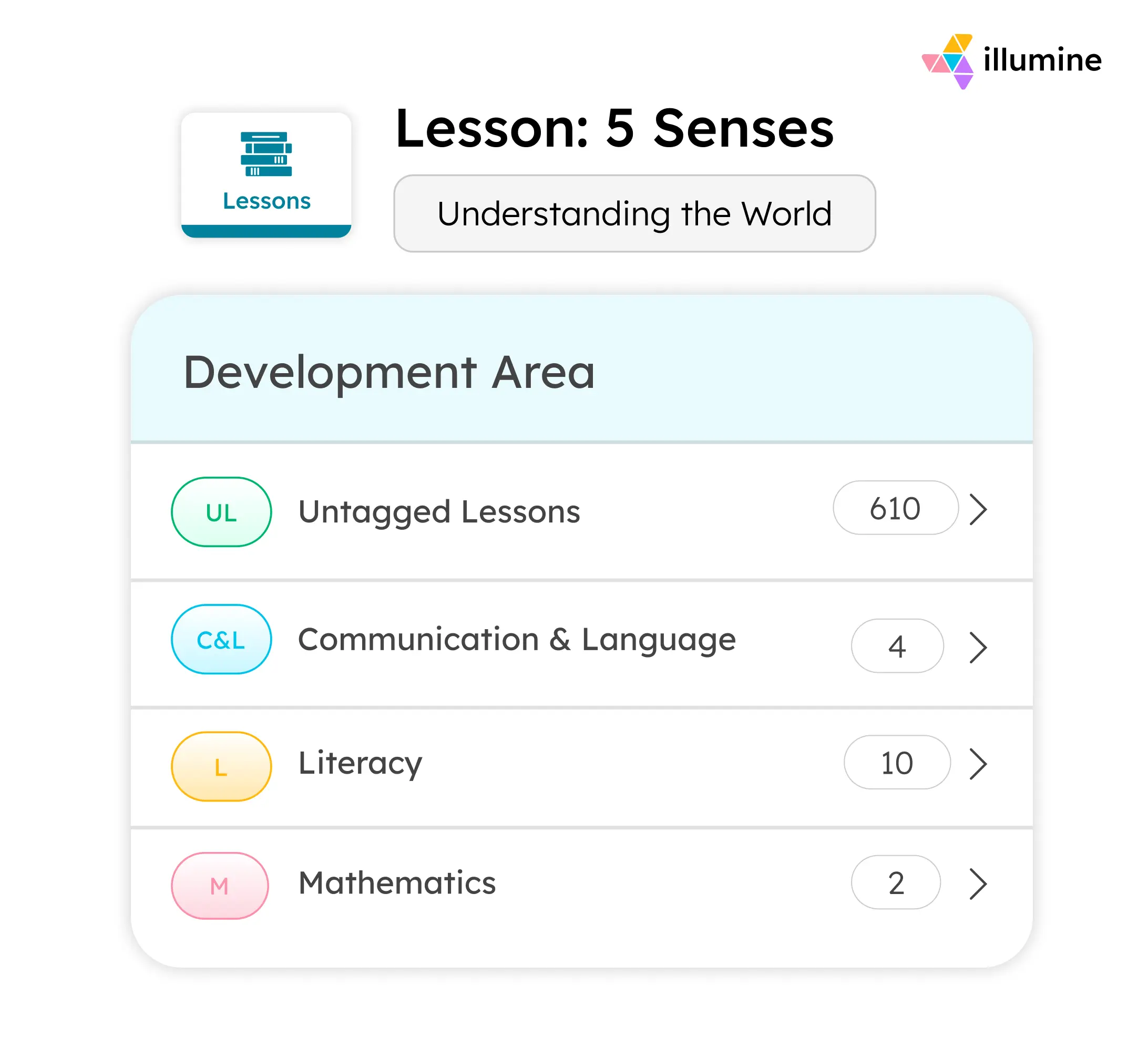
The weekly lesson plan view pulls from the lesson library to build a full week's plan. Guides add lessons from their repository for each day, producing a structured weekly plan that also serves as an advanced record.
For a Montessori-inspired school with rotating curriculum areas across the week, the lesson library approach works well: it builds over time into a comprehensive repository that any guide can draw from, and new teachers can access the school's full lesson set from their first day.
Lesson plans can be shared as assignments with individual students or groups, with the assignment appearing on the parent app and allowing parents to submit responses - extending the learning conversation into the home environment in a way that Montessori philosophy values.
AI-assisted lesson writing is available directly within the platform: guides can prompt the AI to generate lesson content aligned to a specific developmental area and milestone, which speeds up the initial creation of new lessons and is particularly useful when a school is building its lesson library from scratch or adapting existing content to a new framework.
Observation and progress tracking
The observation workflow in illumine connects directly to the assessment framework. When recording an observation, a guide selects the relevant developmental area and links the observation to specific lessons and milestones. The observation can include a description, next steps, and a reflection - with AI writing assistance available for each field. The guide can mark an observation as private (staff only) or share it with parents, and can mark it as a concern if the child's performance in that area warrants follow-up.
Because observations are tagged to curriculum areas and milestones at the point of entry, they automatically update the child's progress record without a separate assessment step. The progress view shows each child's status across all developmental areas in a table layout, with the option to drill down into a timeline view for any specific area. This longitudinal view is essential for Montessori documentation: it shows not just where a child is now, but how they moved through a curriculum area across months, including periods of repetition and consolidation.
Assessment templates are created for specific age groups, classrooms, or programs. A school can build a Primary assessment template that includes all the areas relevant to the 3–6 cycle, and an Elementary template with the expanded areas appropriate for that range. When an assessment period opens, the template pre-populates the relevant areas so guides aren't selecting from the full framework. Observations recorded during the period are pulled automatically into the assessment, so the formal assessment draws from real daily documentation rather than requiring a separate documentation effort.
The assessment report is downloadable as a PDF with one click and shareable directly with parents through the parent app.
The PDF design is customizable to include the school's branding, cover design, and student detail layout.
Parent reporting and communication
Assessment reports shared through the parent app give families a formal, structured view of their child's developmental progress at each assessment period. But the day-to-day parent communication is equally important for Montessori programs, where families need ongoing context about what their child is working on - not just a twice-yearly report.
Daily activity updates in illumine can reference the lesson and curriculum area a child engaged with, giving parents visible context for what happened during the work period. For Montessori schools serving multilingual families - which describes a significant proportion of international Montessori programs - illumine's real-time translation into over 20 languages means parents receive updates in the language they actually read, without requiring teachers to write in multiple languages or send separate communications.
The Learning Journal feature compiles a child's observations, photos, and milestone achievements into a shareable portfolio document, providing a cumulative record of the child's journey that serves both the parent communication purpose and the documentation purpose that some accreditation frameworks require.
Where it falls short
illumine doesn't have the Montessori community-specific depth that Transparent Classroom and Montessori Compass carry. There's no concentration tracking, no pre-loaded AMI or AMS scope and sequence with every lesson already mapped and measurable objectives pre-written, and no CCSS alignment built into the Montessori framework. Schools that need the full traditional Montessori record-keeping infrastructure - particularly those with AMI or AMS affiliation that want every presentation documented at the level of detail those bodies require - will find the dedicated platforms more purpose-built.
Best suited for
Montessori-inspired schools, internationally operating Montessori programs, and multi-site Montessori networks that need a fully configurable curriculum framework alongside complete operational management - enrollment, billing, attendance, compliance, and parent communication - in a single platform. Particularly strong for programs operating in multilingual communities or serving families across multiple geographies.
5. Montessori Records Xpress (MRX)
MRX has been in continuous development since 2002, which makes it the veteran of this group. It was built by software engineers who are also Montessori parents, and its guiding idea has stayed the same the whole time: record keeping should be finished inside the work period, not after it.
Curriculum absorption
MRX ships with lesson sets for AMI, AMS, training-center, and professional templates, plus shared community lesson lists, and it lets a school copy established curricula such as Albanesi, Conceptual Learning, and Laughing Star in a few clicks before customizing them. Lessons can be aligned to Common Core, so schools that need to show standards coverage can do so without building the crosswalk themselves.
Lesson planning
Its most distinctive feature is voice: a guide can speak to plan and record, and MRX builds the lesson plan as the activity is recorded. Presentations, events, and to-dos can be scheduled per child, in the to-do style that fits following the child.
Observation and progress tracking
Records can carry media and comments, and the system produces progress-analysis graphs, behavior and work-habits reports, IEPs, attendance, and cumulative reports across a child's history. EdVid material-demonstration videos are linked to each lesson inside the record, which doubles as training for newer guides.
Parent reporting
The web and mobile parent portal lets families see personalized conference and cumulative reports, the specific lessons tied to their child, and material-demonstration and parent-education videos that explain what a lesson is and how to support it at home. Educators control exactly what each parent sees. Notably, lesson names and parent reports can be localized into ten languages, which makes MRX a strong fit for multilingual and international parent bodies.
Where it falls short
MRX is a record-keeping and parent-portal system, not a school-management platform. It does not handle enrollment and admissions, tuition and billing, or staff operations, so a director runs those elsewhere. Its interface reflects its long lineage and prioritizes function over polish. Pricing is per classroom rather than per child [VERIFY current rate], with a three-month free trial.
Best suited for
Teacher-led classrooms and larger groups, where per-classroom pricing keeps the per-student cost low, schools with multilingual families, and programs that value highly personal, direct support.
6. Montessori Workspace
Montessori Workspace takes the opposite approach to the heavyweight systems: it is deliberately small, fast, and inexpensive, built by Montessori teachers for teachers who want record keeping without overhead.
Curriculum absorption
Rather than ship a deep pre-loaded scope and sequence, Montessori Workspace lets a teacher build or customize a classroom curriculum in a few clicks with no administrator approval. That flexibility is its appeal for programs with their own framework, but it carries less out-of-the-box AMI/AMS depth than Transparent Classroom, Montessori Compass, or MRX.
Lesson planning
Planning is intentionally simple: mark lessons presented, practiced, and mastered, and queue the next lesson for each child in a to-do style. First-year Montessorians report getting productive on day one.
Observation and progress tracking
Teachers log progress plus anecdotal notes that can capture social, emotional, and health details, not only academic work. Directors and admins can view and contribute to records across classrooms, which makes it a quietly good fit for leaders who want visibility without paperwork.
Parent reporting
It generates customized progress reports for conferences that print or export to PDF. Parent-facing tools are basic by design; you will not find integrated photo galleries or automated daily parent emails.
Where it falls short
This is the least comprehensive platform here, on purpose. There is no tuition billing, no enrollment or admissions, no automated parent communication, and no advanced analytics, and attendance and student-info handling are basic. It is also the newest and least established of the group.
Best suited for
New or small schools, budget-conscious programs, and anyone who has felt buried by a heavier system. It is a sensible starting point that a school can outgrow into a fuller platform later. Pricing is among the lowest in the category
6. OneSpot Apps
A note on category first: OneSpot is not a Montessori record-keeping or curriculum platform, so it does not meet the five-requirement standard this comparison applies. It earns a place here because schools evaluating Montessori software run into it, and because it is the operational layer behind the Transparent Classroom bundle mentioned above. Judged on what it actually does, it does that job well.
What it is
OneSpot builds a custom, school-branded mobile app that centralizes school communication in one place: announcements, calendars and events, community discussion and group chat, push notifications, and whole-school alerts by text, email, and push. It is built for Montessori schools and families, in partnership with Montessori.org and the International Montessori Council, and it powers the apps for schools such as Thacher Montessori and Ruffing Montessori.
Billing and operations
Beyond communication, OneSpot handles tuition billing, online payments, and event sign-ups. That billing layer is what lets it complete a "whole-school" picture when paired with a record-keeping system.
Record-keeping and curriculum
This is the gap. OneSpot does not provide Montessori curriculum, lesson planning, observation logging, or child-level progress tracking on its own. For that it depends on a partner system. Its March 2025 bundle with Transparent Classroom marries TC's record-keeping with OneSpot's app, communication, and billing for $4 per student per month, billed annually.
Where it falls short
On its own it cannot meet a Montessori program's documentation needs, so a school that adopts OneSpot for the app and billing still has to run a record-keeping platform alongside it. That means two systems and two vendor relationships. Standalone pricing is not published as plainly as the bundle [VERIFY].
Best suited for
Schools that want a polished, branded parent app and straightforward billing on top of their existing record-keeper, especially current Transparent Classroom users who want better communication and payments without changing their documentation system.
How to Choose the Right Montessori Platform
The software evaluation for a Montessori or Montessori-inspired school ultimately hinges on a single question: Is your curriculum framework fixed or flexible?
If your program operates under strict AMI or AMS affiliation and your documentation requirements follow their scope and sequence specifically, Transparent Classroom and Montessori Compass are purpose-built for exactly that need. Transparent Classroom has the concentration tracking and the pedagogical nuance that comes from a decade of building for traditional Montessori programs. Montessori Compass has the most complete scope and sequence in software form, with the CCSS alignment that publicly accountable programs need.
If your program is Montessori-inspired or if you're a traditional Montessori school that also needs to consolidate enrollment, billing, compliance, and multilingual parent communication into one system, the all-in-one platforms become more relevant.
Brightwheel works well for US-focused programs where the priority is operational consolidation and the Montessori curriculum support is adequate rather than comprehensive.
illumine works well when the curriculum framework itself needs to be configurable, when the school's Montessori practice is its own rather than any single body's, and when operational management at scale is part of the requirement.