



Multi-center leaders struggle with how policies get interpreted at each location.
One director insists on documenting every small incident. Another treats it as optional unless it feels “serious.” One team sends consistent daily updates. Another sends them only when someone has time. Over months, families feel like they are enrolled in different brands, even when the logo is the same.
Research on early learning programs has warned about this exact blind spot: accountability systems can miss meaningful variation in classroom quality within the same center, which means a “center-level view” can hide what families actually experience day to day.
That risk grows when you operate multiple locations. Without a shared system, the parent experience becomes director-dependent.
Impact of Ambiguity on Parent Teacher Communication Strategies
When policies are open to interpretation, ambiguity shows up in four ways:
1) Procedures look different for different centers
Despite having the same programs, fee structure, and policies- one center’s revenue and performance varies drastically from another. All centers operate at different capacity, generate different revenue, and function on different benchmarks. Because of this, you spend time “scrambling” to understand each center’s gaps:
- Which center is consistent with updates?
- Which center is weak on documentation?
- Which team needs training on tone, clarity, and response time?
Due to a lack of centralized data, you dont have enough visibility on this front. Instead, you have scattered excel sheets, reports and conversations with center leaders.
2) Parent experience varies widely
In multi-location businesses, inconsistent customer experience across locations is a known trigger for negative sentiment and a sign that centralized oversight is weak.
Childcare is even more sensitive because the experience is built on trust.
If Center A communicates promptly and Center B communicates late, parents do not call it “a local difference.” They call it “a brand problem.”
3) Incident reporting becomes a compliance risk
Daily updates affect engagement. Incident logs affect trust and compliance. If incident documentation and parent notification vary by center, you create:
- Uneven audit readiness
- Inconsistent parent acknowledgement
- Higher chances of “I heard it from another parent” moments
This is why many multi-center leaders treat the daycare incident report workflow as the highest-stakes part of parent communication.
Why a Parent Teacher Communication App Matters for Multi-Center Visibility
A parent teacher communication app is more than a messaging tool.
For multi-center teams, it should act like an operational infrastructure that creates one standard across locations.
Here is what software helps you do:
1. Centralized parent communication logs make training measurable
When communication happens in scattered places, you cannot coach it properly.
A centralized system creates a record of:
- What teachers are sending
- How consistent are updates across locations
- Whether staff are using the right templates and tone
- Where gaps show up, so training becomes targeted
This is how you stop “best practices” from living in one center only.
2. Centralized incident logs for compliance and audit readiness
In a good system, incident reporting is not a paper chase.
It becomes:
- Standardized forms and categories
- Saster documentation
- Instant parent notification
- Parent acknowledgement captured
- A searchable, centralized log for inspections and internal review
3. Robust systems without adding burden on teachers
While childcare updates and incident reporting are essential for better compliance management and parent collaboration, it can be a tedious task for teachers. Teachers are already overwhelmed tending to infants and toddlers in the classroom. Having to constantly send messages and updates can be draining and take time away from actual care. Parent teacher communication apps or software only work when it:
- Reduces the time to document and communicate
- Gives structured templates so teachers do not start from scratch
- Helps staff write clearly, without extra effort
4. Quick notifications that keep parents in the loop
When a child is that young, even a small bump can feel big because parents are piecing together the story from clues: a mark they notice later, a change in mood, a quick “they’re fine” at pickup. That’s why incident communication needs to be immediate and clear.
Reporting incidents quickly isn’t about alarming families. It’s about removing the information gap. When parents hear directly from you, right away, they feel two things that matter most in early care: trust and security. It reassures them that you’re paying attention, acting fast, and keeping them in the loop in a job that’s deeply sensitive.
A system that supports quick notifications and real-time updates reduces:
- follow-ups
- confusion at pickup
- information gaps during incidents
Why illumine is the best Parent Teacher Communication App
illumine positions parent communication as a daily workflow, not an occasional task. On the parent communication product page, illumine highlights real-time updates, in-app messaging, daily reports, media sharing, AI-powered writing support, and live translation across 20+ languages.
Below is the “in-depth” process view, mapped to your priorities: consistency across centers, incident logs, and teacher-friendly execution.
1. Daycare Incident Report and Childcare Incident Report
Incidents are where trust breaks fastest if communication is delayed.
With illumine, the goal is a tight loop:
incident documented → parent notified → acknowledgement captured → log preserved
This “closed loop” matters because it standardizes what happens across locations, instead of leaving it up to local habits.
2. Daycare Daily Report and Childcare Daily Report
It is 5 pm, pickup is happening, and individualized updates feel impossible.
illumine supports daily reports and positions them as a repeatable workflow, including updates like meals, naps, and incidents.
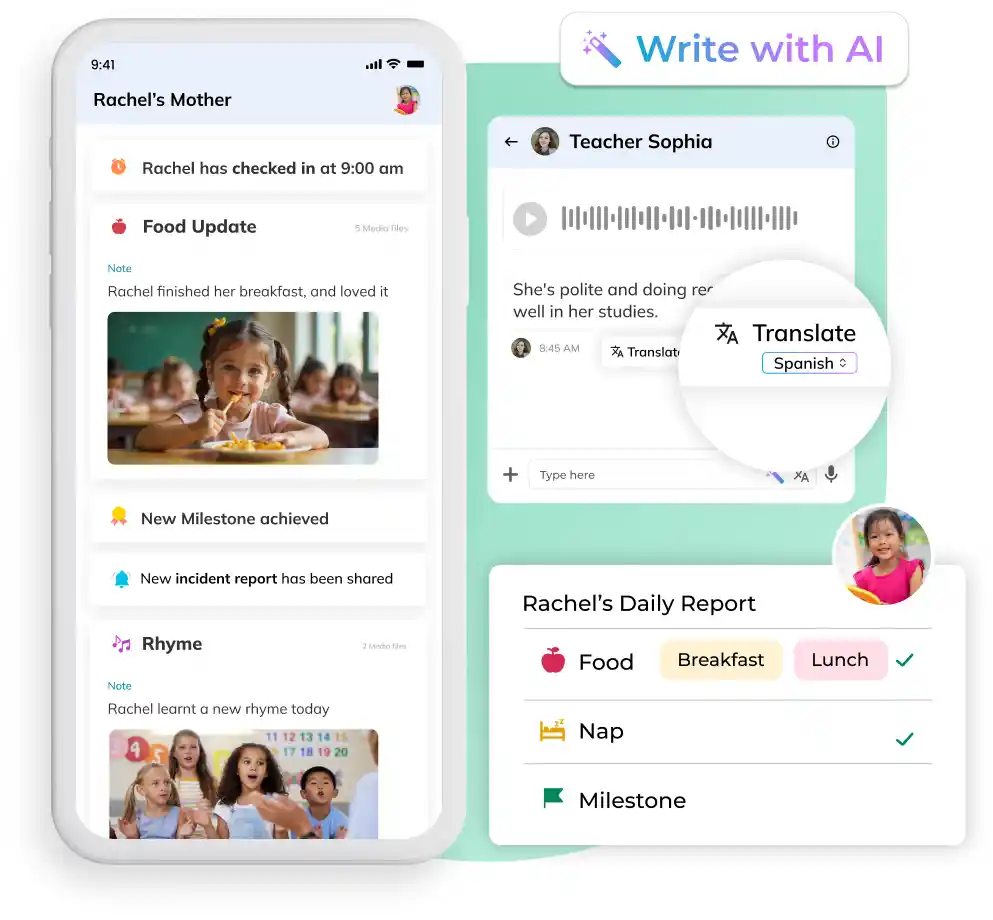
Daily reports can be configured by “columns” so teachers can include what matters for that room and that center, such as check-in, meals, naps, and incidents, then send the report to parents.
3. Activity Log Style Updates: Food, Nap, Medical, Incident, and More
illumine’s Activities module supports posting updates through selectable activity types, including things like Food, Nap, Mood, Reminder, Incident, and learning activities, plus media formats like photo and video. Activity types can be enabled or disabled per center, and the posting flow starts with selecting the activity type.
This matters for multi-center leaders because it helps standardize:
- What types of updates should exist
- What “good communication” looks like
- What teachers are expected to log consistently
It also makes the teacher experience easier because the staff is not writing from scratch. They are choosing a structured update type and filling in the details.
4. AI Features That Prevent Surface-Level Messages
One of your editorial goals is to avoid vague, generic updates that frustrate parents.
On illumine’s parent communication page, illumine highlights AI-powered communication support, including quick rewrites (for clarity), smart suggestions (to match center tone), and live translation across 20+ languages.
So instead of sending thin messages, teachers can start with a simple note and use AI to:
- make it clearer
- make it warmer
- make it more complete, without taking extra time
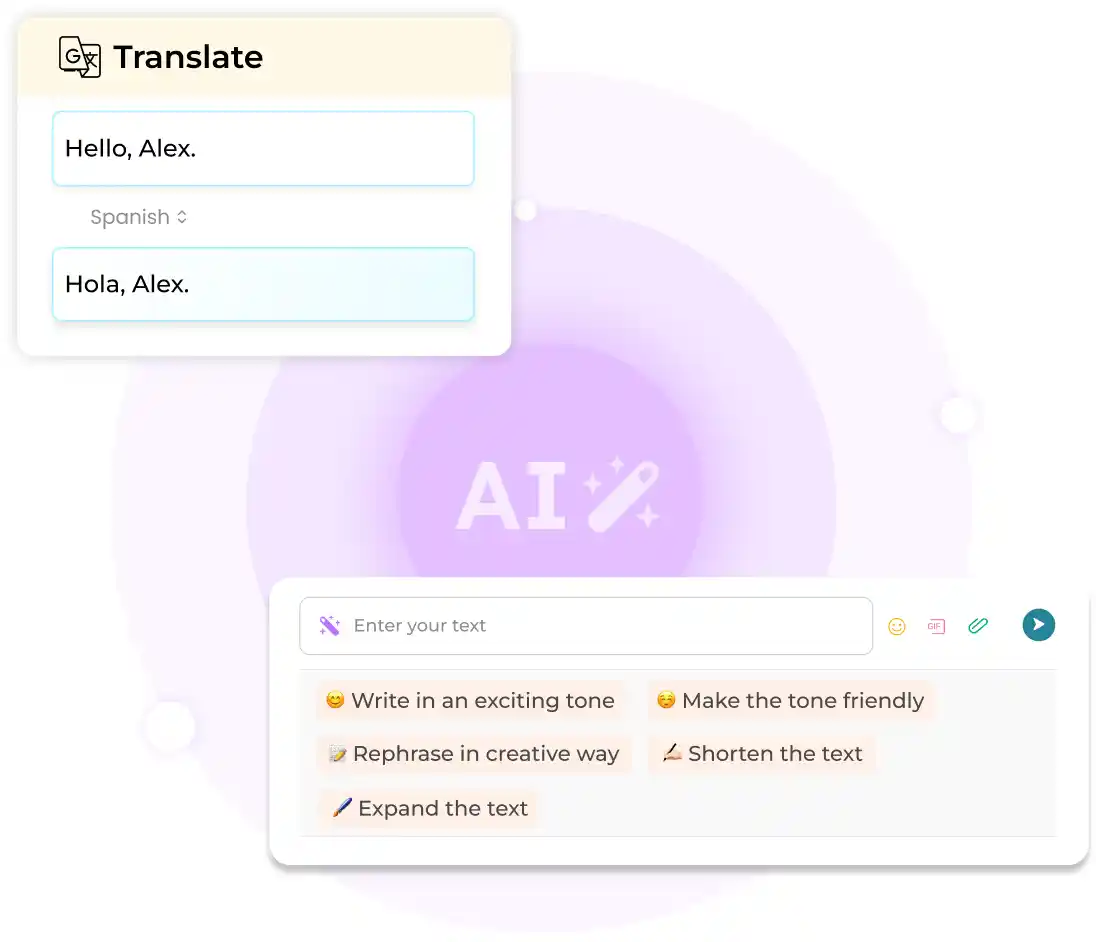
This directly supports your claim that you can build stronger systems without increasing teacher workload.
5. Effective Parent Teacher Communication for Multilingual Communities
For multi-center brands in diverse markets, consistency includes language access.
illumine promotes live translation across 20+ languages within messaging.
Parent Teacher Communication Tips for Multi-Center Standardization
Software is the system. These are the operating rules that make the system work across centers.
1) Standardize what must be logged, especially incidents
Make “must log” non-negotiable across locations, and keep it structured.
2) Set one baseline for daily updates
Consistency beats perfection. Set the minimum standard and measure it.
3) Reduce interpretation with templates and activity types
If the teacher has to guess what to write, variation increases.
4) Coach using real examples from your centralized log
When you can see what is being sent, training becomes specific, not theoretical.
5) Use translation as a default, not a workaround
If language support depends on a bilingual staff member, it will vary by center.
Final Thought
Policies can be written once. The parent experience gets delivered hundreds of times a day.
If that experience changes from center to center, your brand promise becomes unstable.
A parent teacher communication app is how multi-center leaders reduce interpretation, create visibility, protect compliance with incident logs, and keep families consistently informed, without adding burden to teachers.