

What if we told you technology in childcare can actually mean less screen time?
Sounds counterintuitive, doesn’t it?
For years, technology in childcare often meant digitizing what centers were already doing on paper. Attendance logs became digital logs. Daily reports moved to apps. Records shifted from files and folders to screens.
From an admin's point of view, that made information easier to store.
For teachers, it did not always make the work easier.
They still had to record observations, prepare reports, update parents, plan activities, and complete documentation. The difference was that more of that work now happened on a screen.
Newer childcare technology is starting to solve a different problem. Instead of simply digitizing repetitive work, it can help remove some of it.
A teacher can record an observation once instead of rewriting it for an assessment later. AI can help create the first draft of a lesson plan or parent update. Attendance, billing, enrollment, and family records can move through connected workflows instead of being entered into separate systems.
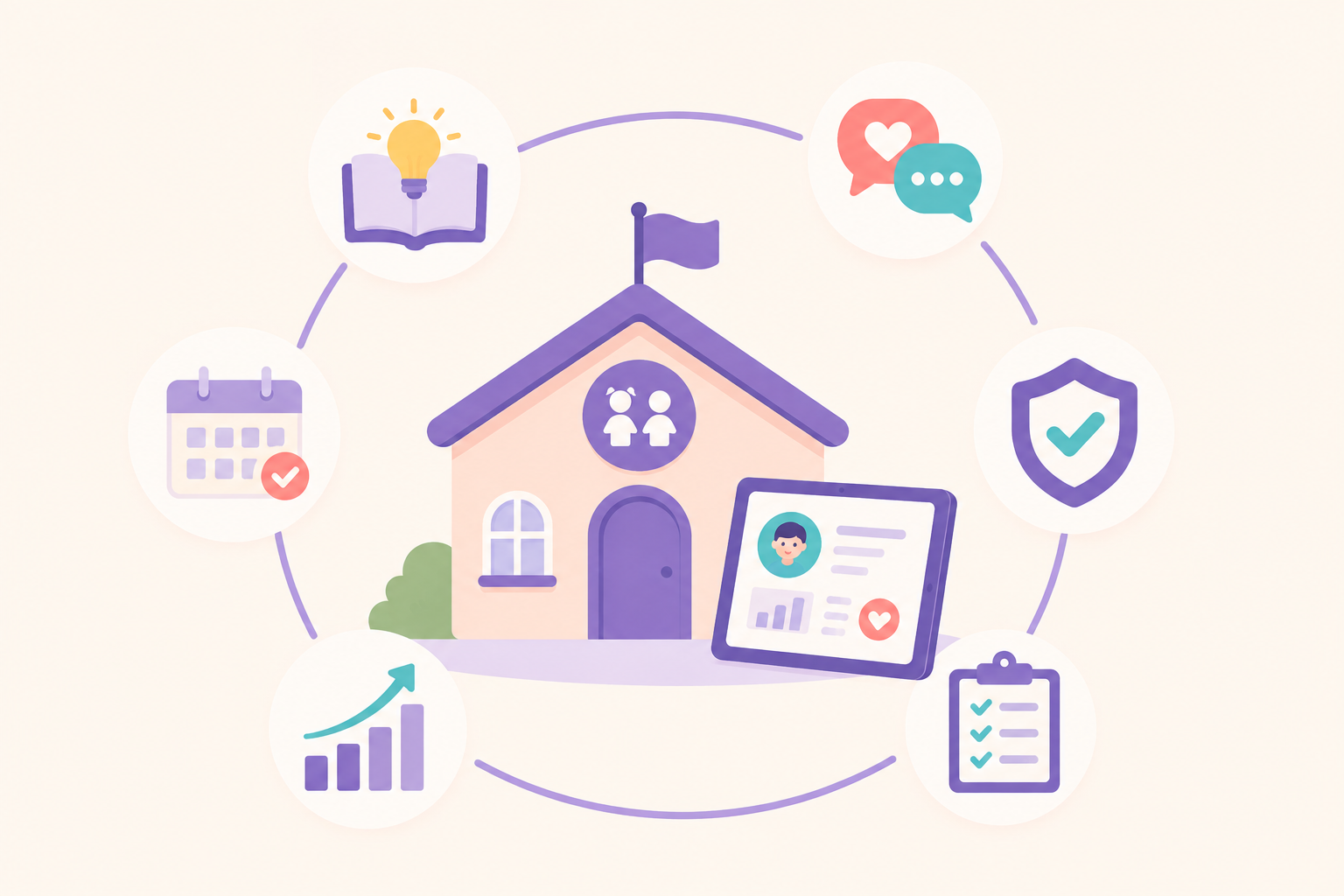
This blog looks at six ways technology is changing childcare, from teaching and parent communication to administration, safety, and AI, and how centers can use it without taking time away from the children who need their attention most.
%20-%20Edited.png)
1. Support More Purposeful Learning
Putting a screen in front of a child does not automatically make an activity educational.
The more useful question is: What is the child doing because of the technology?
Imagine a preschool class has been noticing shadows on the playground.
A passive use of technology would be playing a video about light and shadows and moving on.
A more purposeful use might be asking children to photograph their shadows at different times of day, compare how the shapes change, make predictions, and revisit the images during a classroom discussion.
The technology becomes one part of a larger investigation. The children are still moving, observing, talking, predicting, and experimenting.
This is close to NAEYC’s broader guidance: use technology intentionally when it extends learning, not when it simply replaces hands-on experiences.
The same principle applies to digital storytelling, simple robotics, audio recording, photography, or other classroom tools. They are most useful when they help children create, investigate, explain, or revisit an idea.
2. Real-Time Parent Communication
A lot happens between morning drop-off and afternoon pickup.
A toddler tries a new food. A child finally joins a group activity they had been avoiding. A preschooler spends twenty minutes building the same tower after it falls four times.
By pickup, teachers may be supervising departures while several parents want to know how the day went.
Technology gives teachers another way to preserve those moments: A quick observation, photo, daily update, or message can give families context they might otherwise miss. It also creates a record that teachers can refer back to later.
Technology can also make communication more inclusive. Translation tools, for example, can help teachers communicate with families who speak different languages without relying on another parent or staff member to translate every routine message.
NAEYC has highlighted digital portfolios and technology-supported family relationships as practical uses of technology in early childhood education.
3. Document Assistance
Observation is already part of good early childhood teaching.
The problem comes when the same observation has to be written in a notebook, transferred to an assessment sheet, added to a portfolio, and then rewritten for a parent report.
Technology can reduce that duplication.
A teacher might document an observation once, connect it to the appropriate developmental area, add it to the child's portfolio, and refer back to it during assessment or planning.
That creates another advantage: patterns become easier to see.
One isolated observation may not tell a teacher much. Several observations collected over time can show that a child consistently avoids a particular activity, demonstrates a new skill in different settings, or has developed a strong interest that could guide future learning.
This is where digital documentation becomes more useful than simply replacing paper with a screen. Centralized records can also reduce the amount of time educators spend searching for previous notes, attendance information, incident records, or developmental documentation.
4. Connect Workflows For All Operations
Consider what happens when a parent first contacts a center.
Their information may move through an enquiry form, enrollment paperwork, classroom roster, billing account, and parent communication platform.
If each stage uses a different spreadsheet or tool, staff end up moving the same information from one place to another.
A connected childcare management system can allow information captured during enrollment to continue through the rest of the family's journey. The same principle applies after enrollment.
Attendance can inform occupancy. Enrollment numbers can help with staffing and classroom planning. Billing records can connect to the same family account used for communication and enrollment.
The technology matters less than the connection between the systems. The real operational gain comes when the information can move with the family instead of being recreated at every stage.
5. Safety and Compliance Protocols
Safety technology works best when it makes an existing safety process harder to skip.
Take authorized pickup.
A handwritten note or verbal instruction depends heavily on whoever is at the front desk remembering it. A digital pickup record can give staff a clearer way to check who is authorized, record the handover, and maintain a history of what happened.
The same principle applies to:
- digital check-in and check-out records;
- incident documentation;
- medication records;
- emergency contacts;
- attendance during evacuations;
- access and pickup permissions.
Technology does not make a center safe by itself. A QR code cannot replace a teacher verifying the person collecting a child. A digital medication log does not replace proper medication procedures.
What technology can do is make information available when staff need it and create a record afterward.
That is especially useful when several staff members, classrooms, or locations need to follow the same safety process.
6. AI and Automation Can Save Teachers’ Time
AI is becoming part of the childcare technology conversation, but its most useful role may be less dramatic than people expect.
A teacher does not need AI to decide whether a child needs comfort after a difficult morning.
They may find it useful when they need to:
- create a first draft of a lesson plan;
- organize observation notes;
- prepare an assessment report;
- polish a parent message;
- translate routine communication.
These are tasks where technology can create a starting point while the educator keeps control over the final decision.
For example, an AI-generated lesson plan should not automatically become tomorrow's lesson.
The teacher knows whether the children are interested in the topic, whether the activities suit the group, and whether the materials are realistic for that classroom.
The same applies to developmental documentation. AI may help organize information, but educators still need to decide whether an observation is accurate and what it means for that child.
Recent guidance from ZERO TO THREE makes a similar point: AI can help with administrative work and data tracking, but its role should be to save adults time while keeping the teacher-child relationship central.
That gives childcare leaders a useful test for AI:
Does this tool give educators more capacity for work that requires human judgment and relationships?
If yes, it may be worth using.
Is Technology Good or Bad for Early Childhood Education?
Neither.
Technology is a tool. Its impact depends on how it is used. This distinction becomes particularly important when people talk about "screen time" and "technology in childcare" as though they mean the same thing.
They do not.
- A director reviewing occupancy data is using technology.
- A teacher recording an observation on a tablet is using technology.
- A parent receiving an emergency notification is using technology.
None of those activities increase a child's screen exposure.
Classroom technology needs more careful judgment because it can directly affect children's experiences. The aim should therefore not be to create a "high-tech preschool."
It should be to use the right tool when it genuinely improves learning, care, communication, or operations.
How Can Childcare Centers Choose Technology That Actually Helps?
Adding technology is easy. Removing a system after teachers, parents, and administrators have built their workflows around it is much harder.
Before adopting another tool, ask four questions.
1. Does it solve a problem you actually have?
Start with the workflow, not the feature list.
If teachers spend hours transferring observations into assessment reports, look for a tool that reduces that duplication.
If parents regularly miss forms, solve the form and communication problem.
If directors cannot see occupancy across locations, solve the visibility problem.
Buying software because it has an impressive feature rarely fixes a workflow that was never clearly defined.
2. Does it fit the way your team works?
The best system on paper can still fail if teachers avoid using it.
Consider how many steps a common task takes, whether staff need to enter the same information twice, and how much training is required for routine work.
The technology should reduce friction in an existing workflow, not move the friction to another screen.
3. Can families use it easily?
Parents should not need technical knowledge to receive an update, submit a form, pay an invoice, or contact the center.
This becomes particularly important when centers serve families with different languages, devices, or levels of digital confidence.
4. Can you trust the information and access controls?
Childcare systems contain sensitive family and child information.
Leaders should understand who can access that information, how permissions work, what happens when a staff member leaves, and how records are stored.
Convenience should never require losing control over who can see children's data.
How Can Childcare Management Software Bring These Systems Together?
Legacy childcare software has traditionally treated center operations as a collection of separate problems. Attendance needed to be digitized, billing needed a module, parent communication needed another module, and enrollment needed a place to store forms and records. This helped centers move away from paper and centralize their data, but it did little to connect the workflows behind that data or automate what happened between them.
The result is that even centers using digital tools often have staff doing the connecting manually. Attendance records need to be checked against subsidy claims. Enrollment information needs to be transferred into billing and classroom records. Directors pull reports from different modules, accounting tools, and spreadsheets before they can understand why revenue is down or why one location is struggling to fill seats.
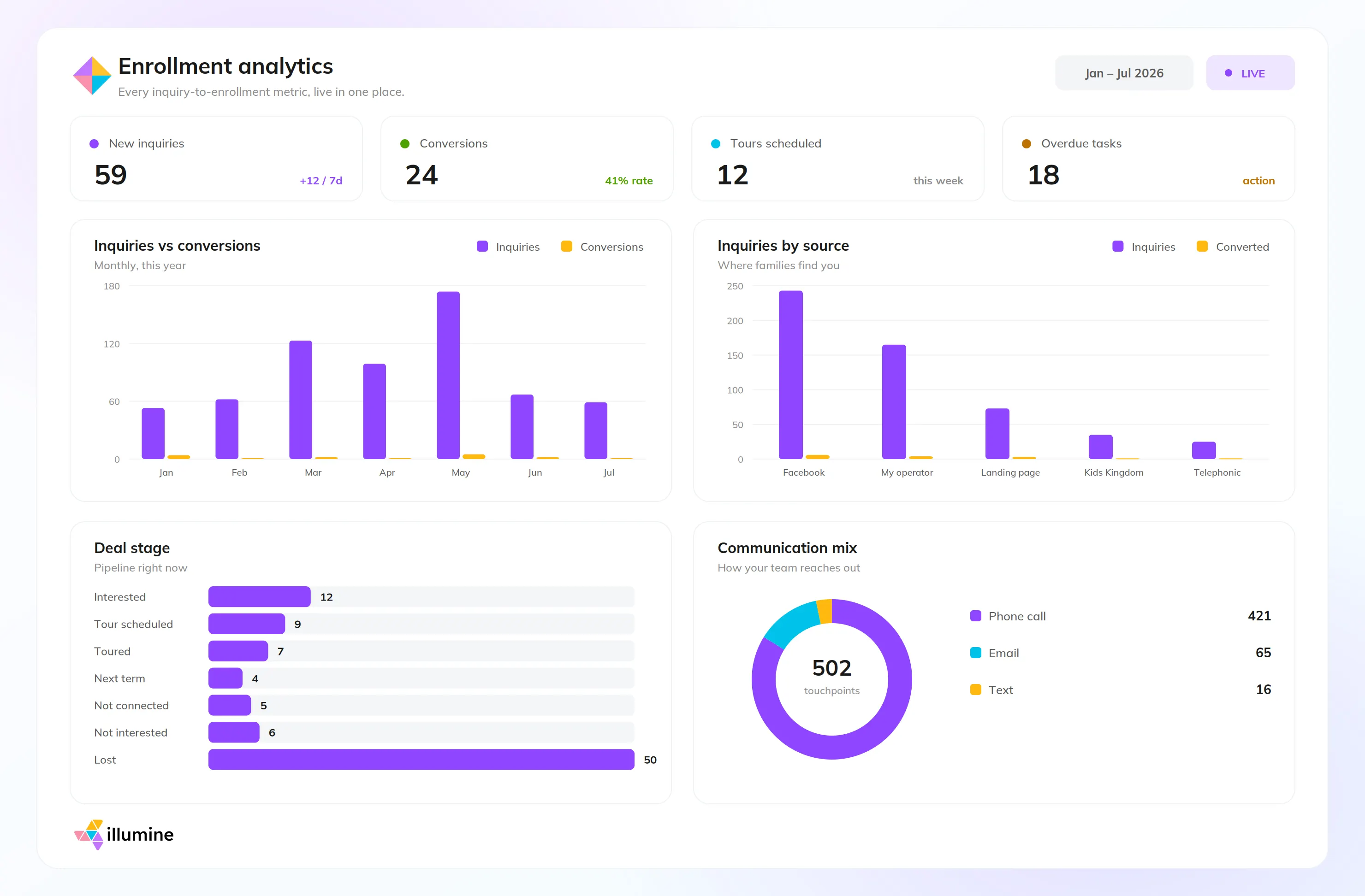
Modern childcare management platforms like illumine take a different approach by treating these functions as parts of the same operational workflow.
Subsidy management, for example, connects with attendance, billing, and invoicing so that the records used to determine what a center is owed are not maintained separately from the records used to collect it. Marketing and inquiry workflows connect directly with enrollment management, allowing a family to move from their first inquiry through follow-ups, registration, and enrollment without staff repeatedly transferring the same information between systems.
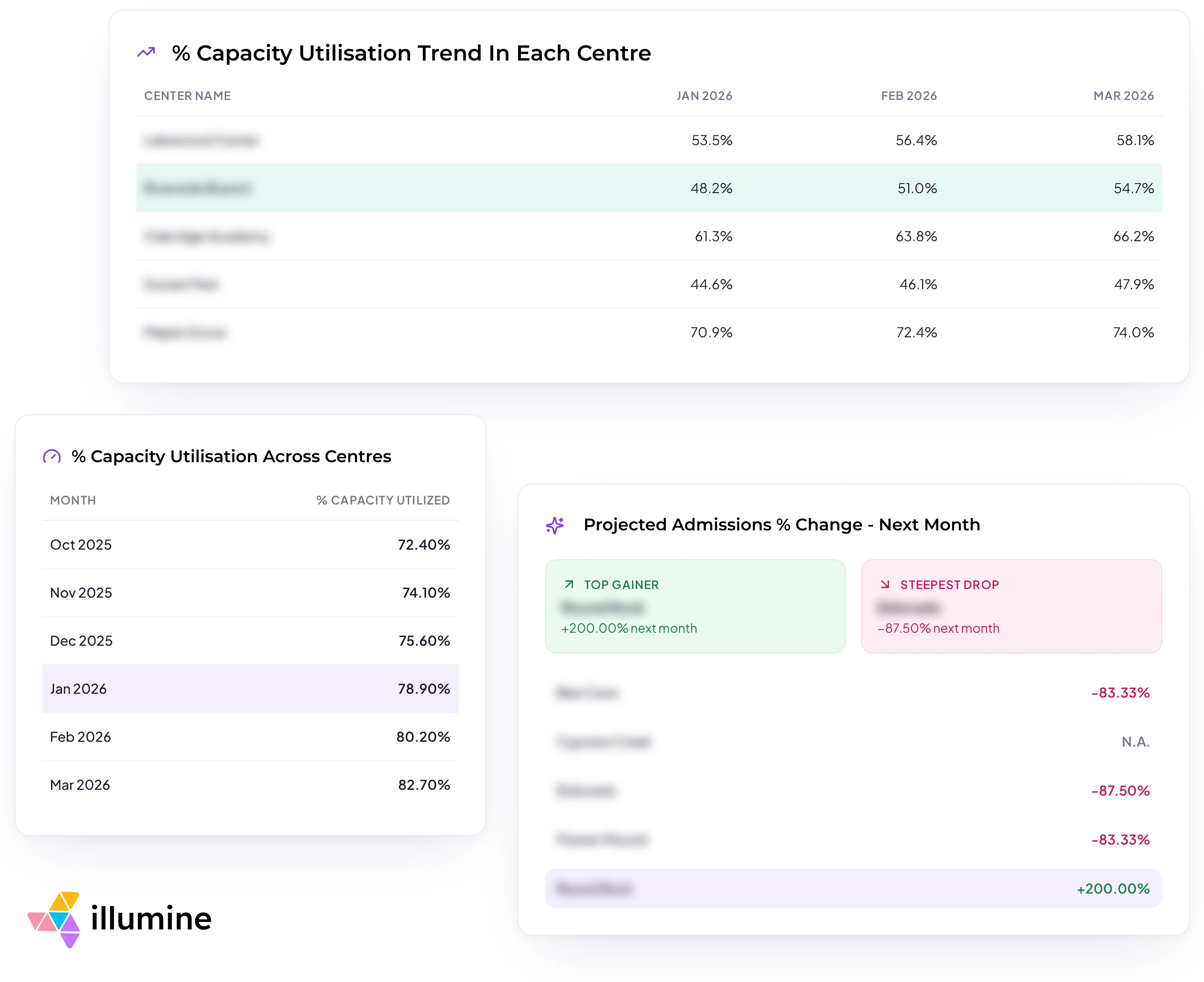
That connection becomes even more valuable for multi-center operators. Instead of pulling reports from individual locations and piecing them together in spreadsheets, leaders can get a consolidated view of metrics such as enrollment, revenue, expenses, fee collections, and enrollment sources across centers. This makes it easier to compare performance, identify gaps, and decide where attention or investment is needed without spending hours simply trying to make sense of the data.
And the information should continue to move with the child. An enrollment does not remain an enrollment record. It becomes a child on a classroom roster, a family receiving updates, an account being billed, an attendance record, and eventually a learning and assessment history.
When those functions share the same underlying system, software does more than digitize existing processes. It reduces duplicate work, automates the handoffs between teams, and turns operational data into information leaders can actually use.
Ideally, staff should spend less time managing the technology itself and more time acting on what it tells them. That is when technology starts doing what childcare management software was supposed to do in the first place.
Final Thoughts
The future of technology in childcare will probably include more AI, automation, connected data, and digital tools. That does not mean early education needs to become more digital.
In many cases, the opposite should be the goal.
- Teachers should spend less time entering data and more time observing children.
- Parents should spend less time chasing information and more time understanding their child's experience.
- Directors should spend less time assembling reports and more time acting on what those reports show.
- And children should still spend their days talking, playing, moving, building, creating, and exploring.