


Every educator knows the feeling.
The children have gone home. The classroom has been reset. Tomorrow's activities are ready.
But one task still remains - documenting everything that happened during the day. The photos need uploading. Learning outcomes need linking. Children need tagging. Activity descriptions need writing. Parent updates need reviewing before they're published.
None of this is why educators joined childcare. Yet documentation has become one of the most time-consuming parts of their role.
As expectations around parent communication continue to grow—and staffing pressures make every minute more valuable—centers need a better way to capture children's learning without adding to educators' workload.
That's exactly why illumine built AI-Powered Activities.
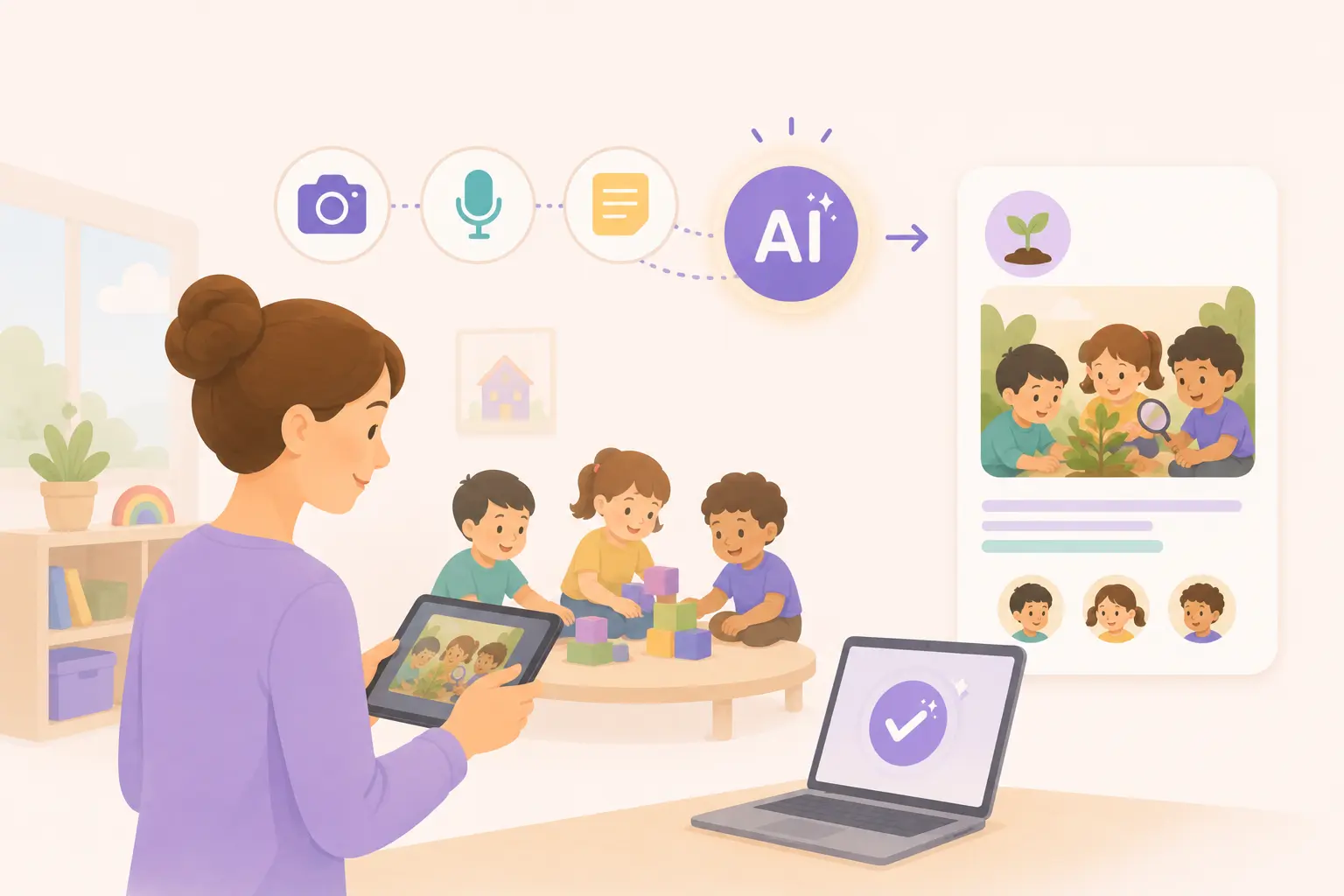
Instead of asking teachers to start with a blank page, AI transforms classroom moments into complete activity drafts using nothing more than photos, voice notes, or quick observations. Teachers simply review, refine, and approve before sharing with families.
The Problem Isn't Documentation. It's the Time It Takes.
Every childcare classroom is filled with meaningful learning moments.
A toddler discovers colours for the first time. Children build a tower together and learn teamwork. A preschool class investigates insects during outdoor play. An educator notices a breakthrough in communication or confidence.
These are exactly the moments families love seeing.
The challenge isn't jus recognizing them, but actually to find the time to document them well.
A single activity update often involves uploading photos, writing descriptions, selecting activity categories, tagging children, linking learning outcomes, and reviewing everything before it reaches parents. Multiply that across dozens of activities every day, and documentation can easily consume an hour or more of an educator's time.
The result is familiar to almost every childcare provider.
Documentation gets delayed. Parent communication becomes inconsistent. Or educators stay back after hours simply to finish paperwork.
What If Documentation Started With the Classroom Instead of a Blank Page?
Traditional documentation software asks teachers to write first.
AI-Powered Activities start somewhere much more natural—the classroom itself.
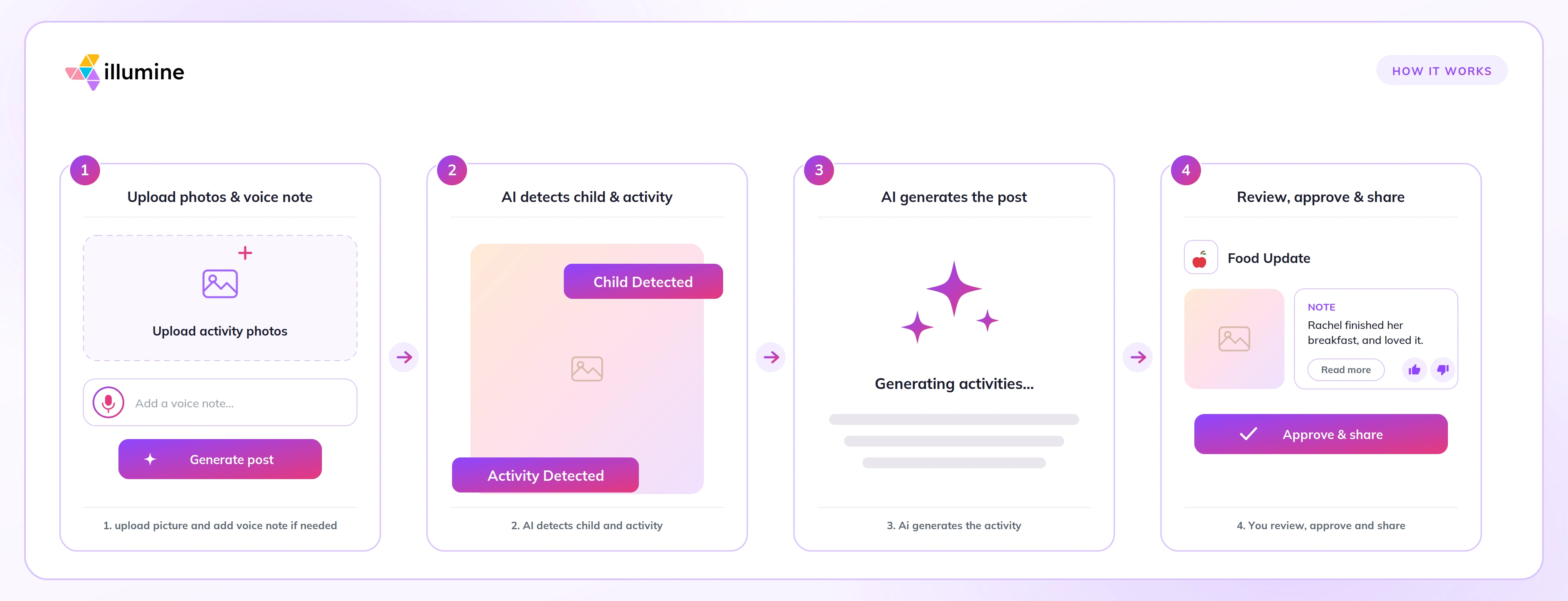
Instead of manually creating activity posts, teachers simply upload the moments they've already captured throughout the day. Whether that's a collection of photos, a quick voice memo between activities, a short written observation, or all three together, AI transforms those inputs into a structured activity draft within seconds.
The educator remains in complete control. AI prepares the first draft. Teachers decide what finally gets shared.
How AI-Powered Activities Simplifies Childcare Documentation
Turn classroom moments into parent-ready updates
Teachers already capture photos throughout the day.
Now those photos become much more valuable.
Upload a few classroom images, and AI automatically generates:
- A meaningful activity title
- A parent-friendly description
- Suggested activity types
- Recommended learning outcomes
- Student tag suggestions using AI Face Recognition
Instead of spending several minutes creating each activity manually, teachers review and approve drafts that are already structured and ready to share.
Speak naturally instead of typing everything
Some moments are easier to explain than they are to write.
Rather than stopping to type detailed observations, educators can simply record a voice note describing what happened during the activity.
AI automatically transcribes the recording and transforms it into a polished activity update suitable for families.
It's documentation that fits naturally into a teacher's day—not the other way around.
AI understands childcare—not just writing
Generic AI tools can help rewrite text.
AI-Powered Activities understands childcare documentation.
It recognizes the structure educators use every day, automatically suggesting activity types, relevant learning outcomes, and appropriate student tags based on the classroom activity.
When AI Face Recognition is enabled, the platform can even recommend which children appear in uploaded photos. Teachers always review these suggestions before publishing, and schools remain fully in control, with parent consent required before facial recognition is used.
Every teacher writes differently—and AI adapts
Some educators prefer concise updates.
Others enjoy writing detailed learning stories.
Some communicate with multilingual families.
AI-Powered Activities includes a built-in AI Writing Assistant that lets teachers refine drafts conversationally. They can ask AI to shorten a description, expand on learning outcomes, change the tone, highlight social-emotional development, or translate the update into another language.
Over time, the platform learns from approved posts and teacher edits, helping generate drafts that better reflect each center's preferred communication style.
Human oversight remains at the center
AI should reduce workload—not replace professional judgment.
That's why every activity generated by AI remains a draft until a teacher reviews and approves it.
Educators can edit descriptions, modify activity types, update student tags, regenerate content, save drafts for later, or delete them entirely.
Nothing is published automatically.
Every parent update is still reviewed by the people who know the children best.
Built for Modern Childcare Centers
Today's childcare communities are increasingly diverse, with many families speaking different languages at home.
AI-Powered Activities help educators communicate more effectively by translating activity updates into multiple languages, ensuring every family receives meaningful updates in the language they understand best.
The platform also supports documentation beyond parent communication.
Teachers can use AI to draft staff observations, incident reports, medical logs, and internal classroom notes. Activities can be marked as "Staff Only" when information should remain internal, and every draft is automatically saved so educators can return to it whenever they're ready.
Built Responsibly for Early Childhood Education
Introducing AI into childcare requires more than innovation.
It requires trust.
That's why AI-Powered Activities has been designed with educator oversight and child privacy at its core.
Every post requires teacher approval before publication. Photos and voice recordings are securely encrypted, customer data isn't used to train external AI models, and complete audit trails record who generated, edited, and approved every activity.
These safeguards help childcare providers adopt AI responsibly while maintaining compliance and protecting children's information.
Documentation Works Best When Everything Is Connected
Activity updates become even more valuable when they're part of a connected childcare platform.
With illumine, you can also:
- Keep families engaged through Parent Communication
- Digitize forms using the AI Form Generator
- Manage children's health information with Health & Medical Records
- Run your center from one Childcare Management Software platform
Instead of moving between separate tools for documentation, communication, and child records, every classroom moment becomes part of a connected experience for educators and families alike.
Frequently Asked Questions
What is AI childcare documentation software?
AI childcare documentation software helps educators create activity updates using photos, voice recordings, and written observations. It generates structured drafts that teachers review and approve before sharing with families.
Can AI create activity updates from photos?
Yes. AI-Powered Activities analyzes classroom photos and generates activity titles, descriptions, suggested activity types, learning outcomes, and student tag recommendations.
Do teachers still review every activity?
Absolutely.
Every AI-generated activity remains a draft until a teacher reviews, edits if needed, and approves it. Nothing is automatically published to families.
Can activity updates be translated?
Yes.
AI-Powered Activities supports multilingual communication by translating activity updates into multiple languages, helping centers communicate more effectively with diverse families.
More Time Creating Learning. Less Time Writing About It.
The value of AI isn't that it writes activity descriptions.
The real value is what educators get back.
Less paperwork after childcare hours.
More consistent communication with families.
Richer learning records.
And more time focused on the children in front of them—not the documentation waiting at the end of the day.
That's what AI-Powered Activities was built to deliver.